Alerts
Devices that need your attention.
Alerts lists every device that is breaking a rule or has gone quiet. If the fleet is healthy the screen simply says so.
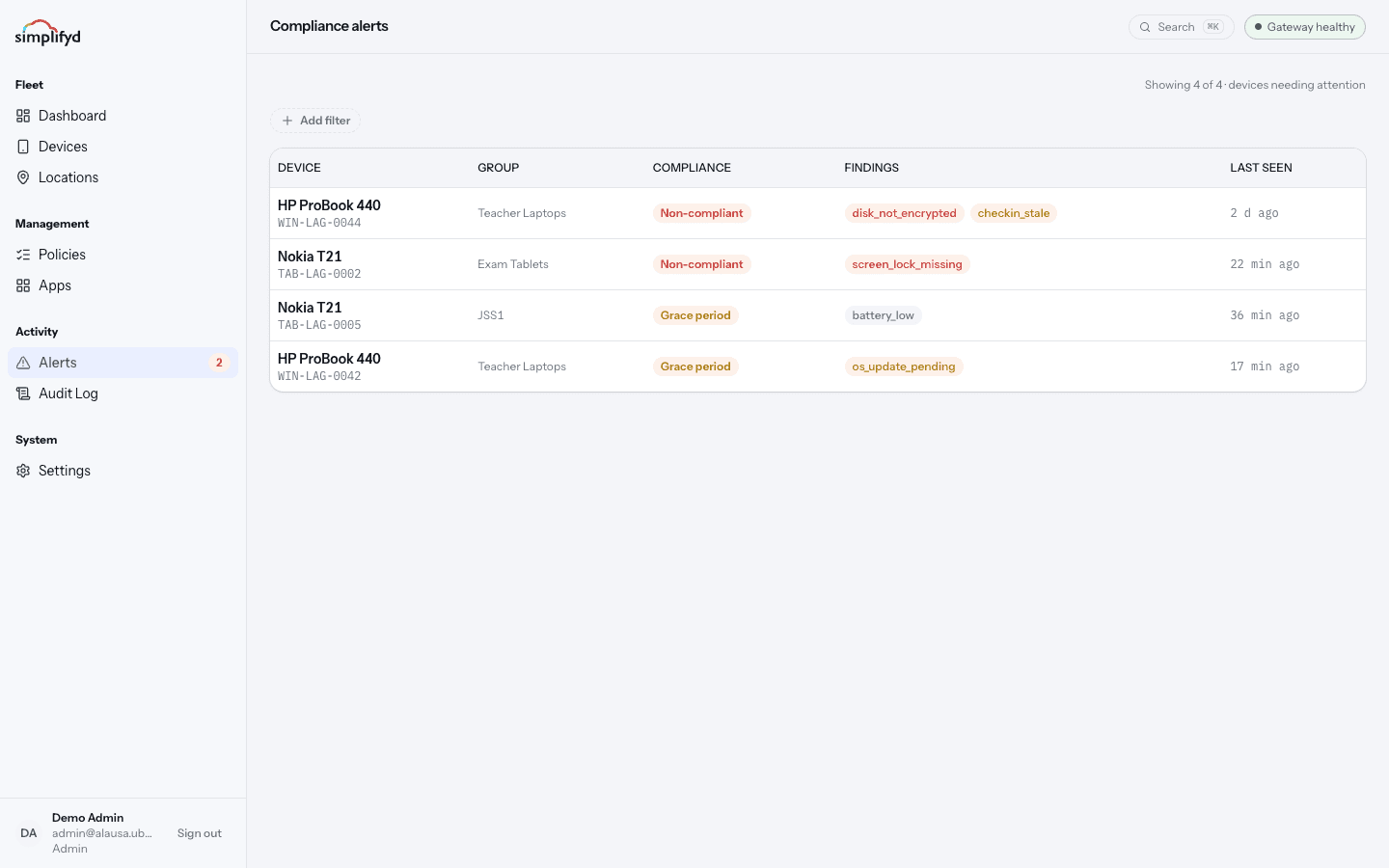
What an alert shows
Each row is one device: model, serial, group, compliance state, and last seen. The Findings column holds the specific things that are wrong. A device can have more than one — the laptop in the picture is both unencrypted and out of contact.
Severity
| Severity | Meaning | How fast to act |
|---|---|---|
| High | Serious. Data on the device may be at risk. | Same day. |
| Medium | A real problem, but not urgent. | Within a few days. |
| Low | Worth tidying up. | When convenient. |
Filters
Narrow the list to what you can act on:
- Finding severity — show only high, medium, or low findings.
- Compliance — grace period versus non-compliant.
- Platform and Group — focus on one part of the fleet.
- Activity — Seen in last 24h (people are using these, so a fix will land quickly) or Silent 24h+ (the device is not reporting in at all).
A good order of work: high severity and seen in the last 24 hours first, because those fixes actually apply. Then work through the silent devices.
Common findings and what to do
| Finding | What it usually means | What to do |
|---|---|---|
screen_lock_missing | The person has not set a PIN or password yet. | Ask them to set one. The device fixes itself at the next check-in. |
disk_not_encrypted | Encryption is switched off or unfinished. | Ask the person to plug in and leave the device on until it finishes. |
os_update_pending | Security updates have not been installed. | Ask the person to run updates on Wi-Fi. |
battery_low | The device is running flat most of the day. | Usually a charging habit, sometimes a worn-out battery. |
checkin_stale | No contact for over 24 hours — off, out of signal, or reset. | See Device is not checking in. |
Select a device to open its page, where the same findings are shown with a fuller description.
Clearing an alert
You do not dismiss alerts by hand. Once the underlying problem is fixed, the device reports itself as compliant at its next check-in and the alert disappears on its own. To see the result immediately, select Sync now on the device.