Locations
Where your devices have reported themselves.
Locations shows a device's reported position on a map. Pick a device from the list on the left to see where it has been.
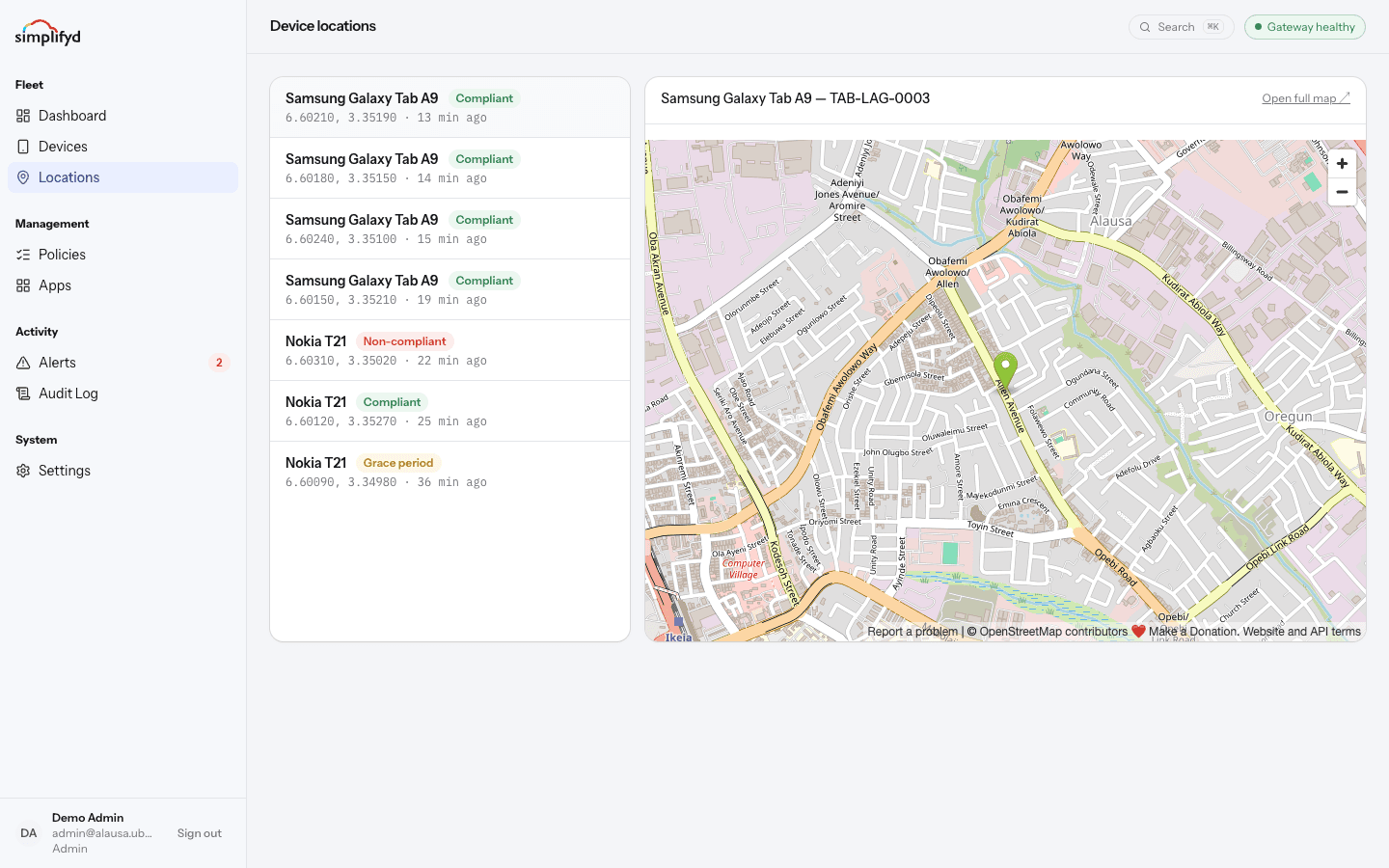
What you are looking at
- The list shows each device that reports location, its compliance badge, its coordinates, and how long ago it reported.
- The newest position is the device's last known location, not a live tracker.
- Open full map opens the position in a full-size map.
- Each device page also has a Location history section listing that one device's recent positions.
When a location is missing
A device only reports its position when:
- its policy asks for location reporting,
- location services are switched on, and
- the device has checked in recently.
If any of those are not true, the map shows the last position you did get, or nothing at all. Location on a device that has been switched off will not update.
Accuracy
Positions come from the device itself. Indoors and in built-up areas they can be off by a street or more. Treat a location as "roughly here recently", not as proof of exactly where a device or person is.
Using it responsibly
Location is one of the most sensitive things you can hold about people.
- Tell people plainly which devices report location and why. Many places require this by law.
- Use it to recover lost equipment, not to check on people's movements.
- Be especially careful with BYOD devices. Consider not collecting location on personal phones at all.
- Every time you view location it is written to the audit log, so your own use is on record too.