Devices
Find any device and see everything known about it.
Devices is the list of everything you manage. Use it to find a device, then open it to see the detail.
Finding a device
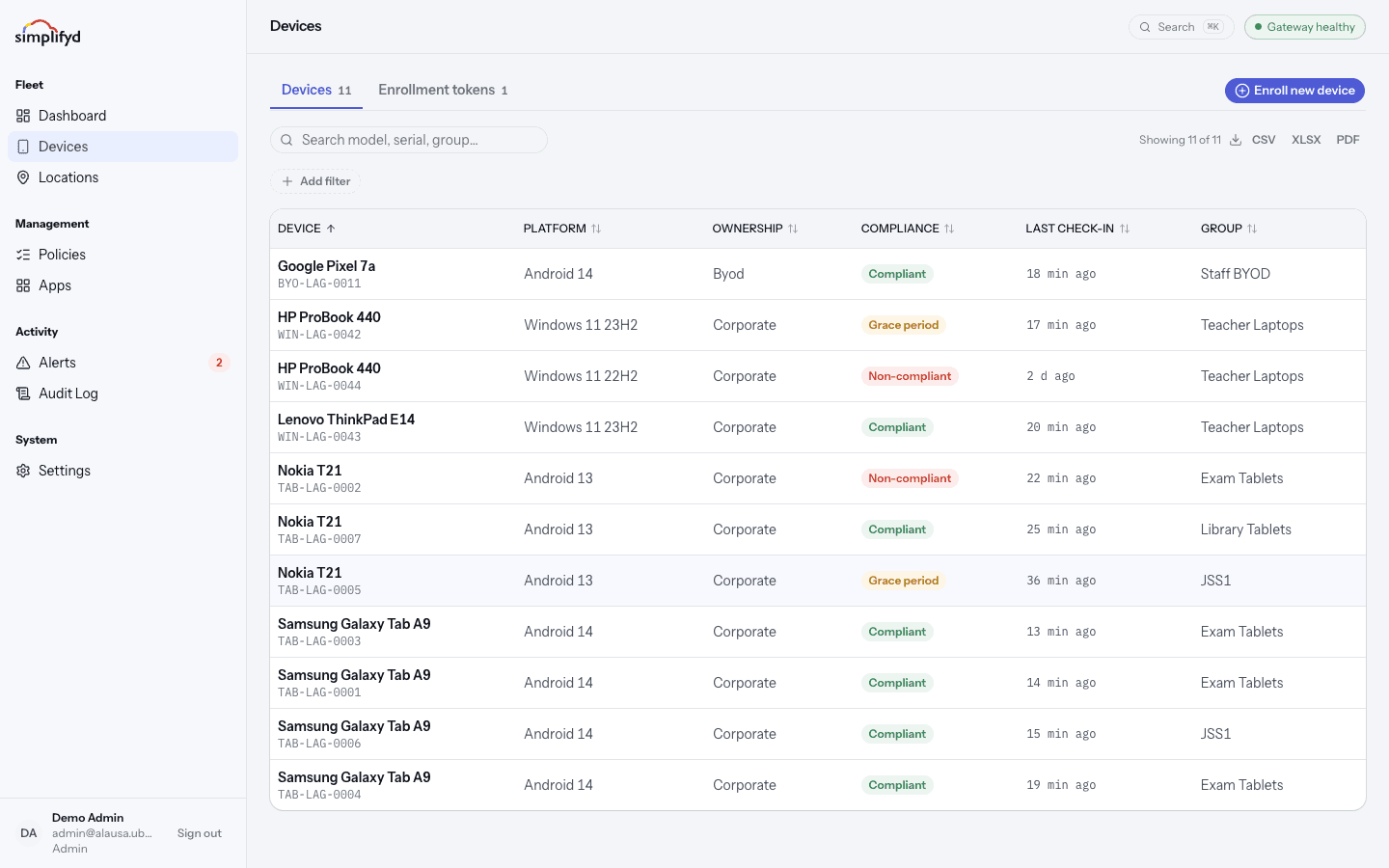
Type into the search box to match on model, serial number, or group. You can also narrow the list with the filters:
- Platform — Android or Windows.
- Ownership — Corporate (the organisation owns it) or BYOD (the person owns it).
- Compliance — Compliant, Grace period, or Non-compliant.
- Group — the label the device belongs to.
Filters stack, so you can ask for "non-compliant Android tablets in Year-10-Tablets".
Reading the list
| Column | Meaning |
|---|---|
| Device | Model and serial number. |
| Platform | Android or Windows. |
| Group | The label used to assign policies and apps. |
| Ownership | Corporate or BYOD. |
| Compliance | Whether it is following its rules. |
| Last check-in | When the device last spoke to the console. |
Devices normally check in every few minutes. A last check-in older than a day usually means the device is off, out of coverage, or has been reset.
Enrolment tokens
This screen has two tabs: Devices and Enrolment tokens. The second tab lists the tokens you have issued and how many times each has been used. The Enrol new device button in the top right is where you create one. See Enrolment.
Exporting the list
Above the table you will see how many devices are showing, and buttons for CSV, XLSX, and PDF. The export follows whatever search and filters you have applied, so narrow the list first, then export.
Opening a device
Select any row to open the device page.
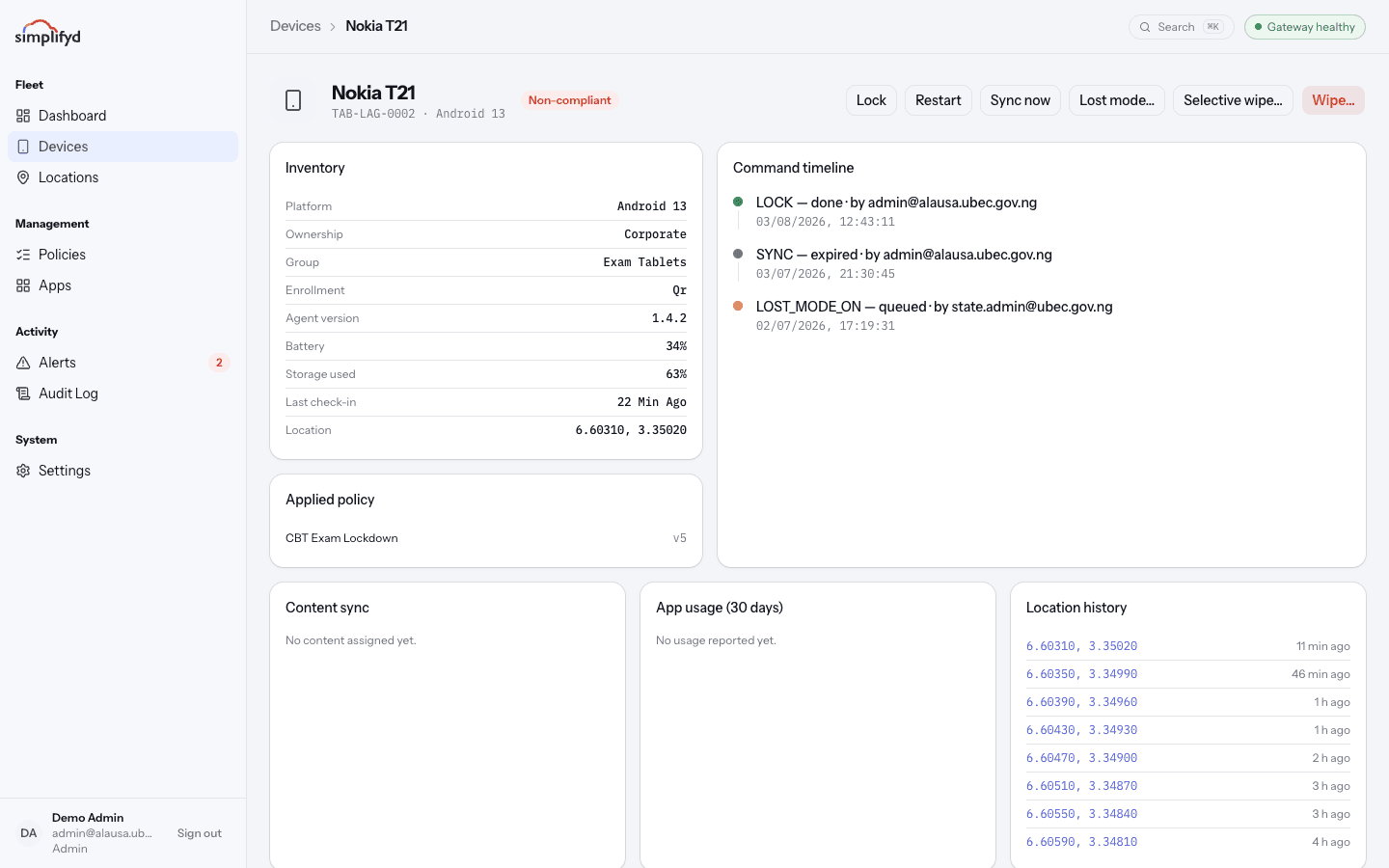
It shows:
- Inventory — model, serial, IMEI, operating system version, agent version, battery, storage used, ownership, group, and enrolment type.
- Applied policy — which policy the device has, and the exact settings it received.
- Command timeline — every instruction sent to it and what happened.
- Location history — where the device has reported itself, newest first.
- App usage (30 days) — which apps have been used, when reported.
- Content sync — files and material assigned to the device.
- Firmware (DFCI) — Windows devices only. Whether the laptop's firmware settings can be managed, and any firmware packages waiting or applied. See Lock down firmware settings.
Everything you can do to a device is covered in Device actions.