Audit log
The permanent record of who did what.
The Audit log records every meaningful action taken in your organisation's console: sign-ins, policy changes, commands sent to devices, people added and removed.
Entries cannot be edited or deleted by anyone, including admins. That is the point — the log is evidence.
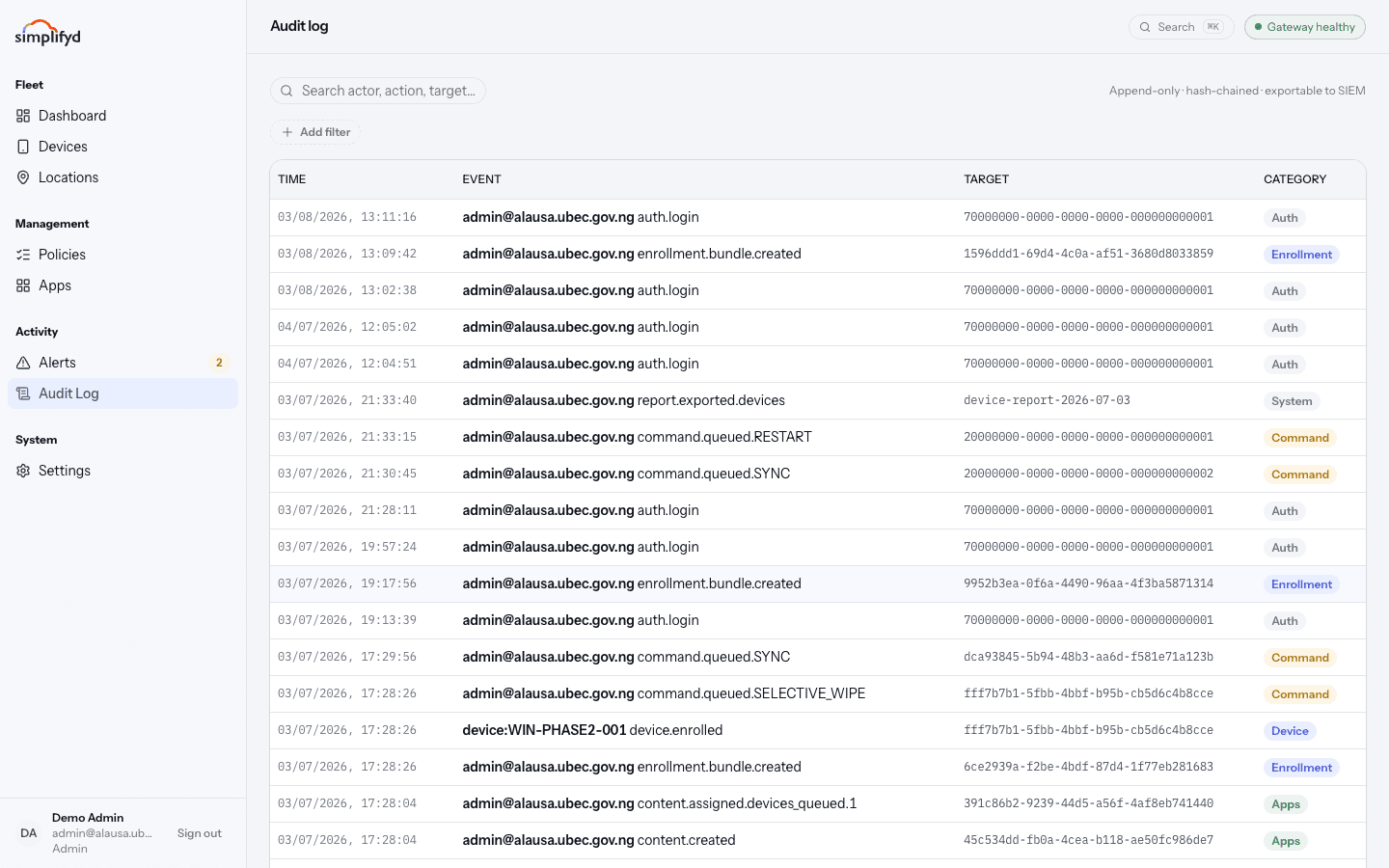
Reading an entry
| Column | Meaning |
|---|---|
| Time | When it happened, to the second. |
| Event | Who did it, and what they did — for example admin@… command.queued.RESTART. |
| Target | What it was done to: a device, a policy, a user, or a report. |
| Category | The area it belongs to, shown as a coloured badge. |
Categories
- Auth — sign-ins, sign-outs, password and MFA changes.
- Device — enrolments, removals, changes to a device record.
- Command — lock, wipe, sync, lost mode, and their results.
- Policy — rules created, changed, or assigned.
- Apps — apps added, assigned, or removed.
- Enrolment — tokens issued and used.
- RBAC — people invited, roles changed, access removed.
- System — background and configuration events.
Searching
Type into the search box to match on actor, action, or target — a person's email, a device serial, or a policy name all work. Filter by category to narrow it further. The list loads more entries as you go with Load more.
Using it well
- Answering "who wiped this device?" — search the serial number and look for the command entry.
- Preparing for an inspection or audit — filter by category and date range, then export the device and compliance reports from the Devices screen alongside it.
- Checking a suspicion — look at the Auth category for sign-ins at odd hours or from accounts that should be dormant.
Auditors have read access to this screen by design, so someone independent can review what administrators did.