Team and access
Invite colleagues and give them the right level of access.
Settings → Members is where admins manage the people who can use the console.
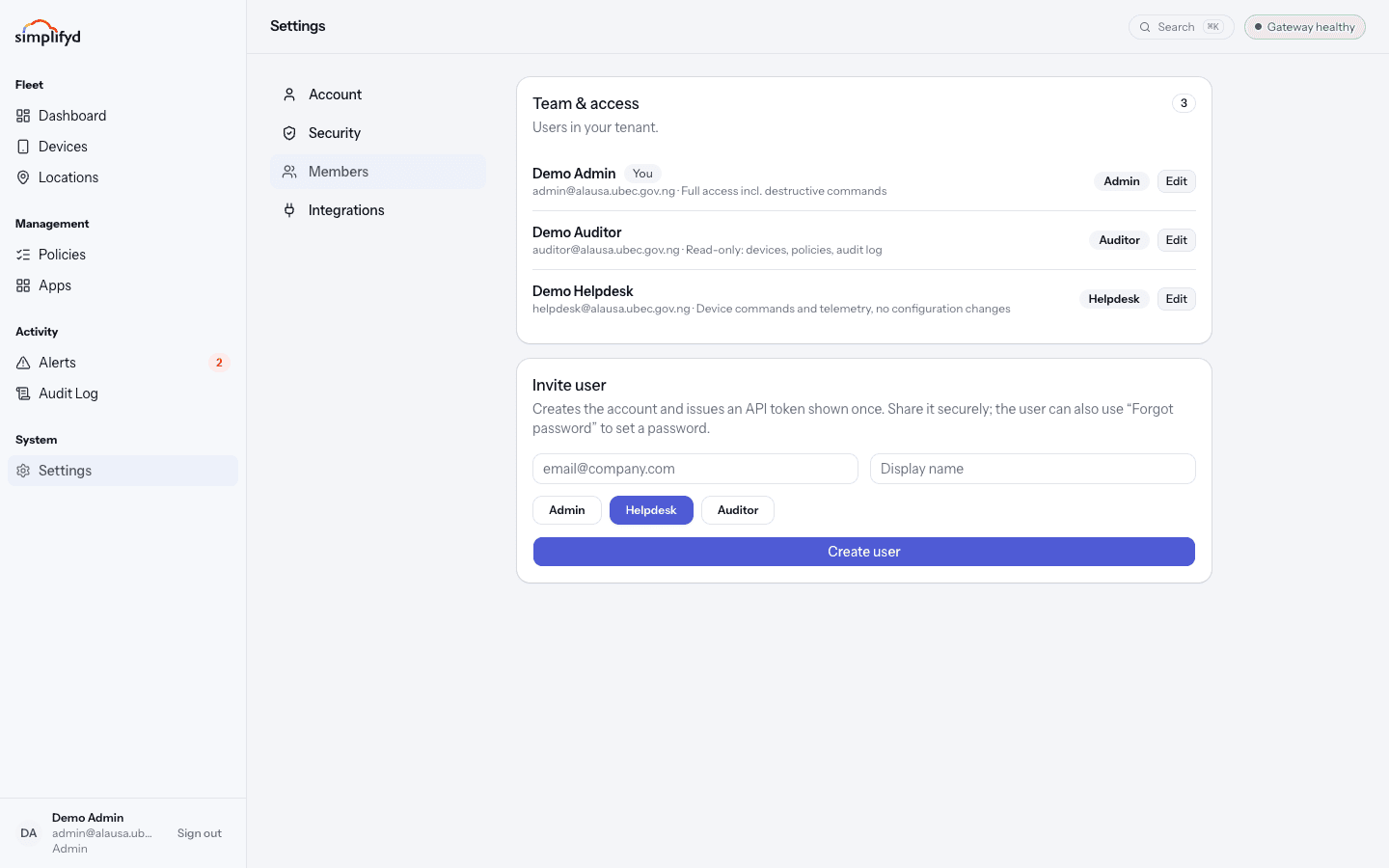
The three roles
| Role | Can do | Cannot do |
|---|---|---|
| Admin | Everything: policies, apps, enrolment, all device commands including wipe, and managing people. | — |
| Helpdesk | Send device commands, look at devices and telemetry. | Change policies, apps, or configuration. |
| Auditor | Read devices, policies, and the audit log. | Change anything or send commands. |
Choosing a role
- The person fixing devices all day → Helpdesk.
- The person responsible for the rules and the rollout → Admin.
- A compliance officer, an inspector, or a manager who only needs visibility → Auditor.
Give the smallest role that lets someone do their job. You can always raise it later, and every change is written to the audit log.
Keep at least two admins so you are never locked out, but resist making everyone an admin — admins can wipe devices.
Inviting someone
- Go to Settings → Members.
- In the Invite user card, enter their work email address and display name.
- Select the role: Admin, Helpdesk, or Auditor.
- Select Create user.
The account is created straight away and an API token is shown once. You do not have to hand that token over — for normal console use, tell the new person to go to the sign-in page and use Forgot password to set their own password. Ask them to turn on MFA as their first action.
If you do need to share the token, send it through something secure. Anyone holding it can act as that user. Never paste it into chat or email.
Changing someone's role
Select Edit next to their name and pick the new role. It takes effect immediately and is written to the audit log.
Removing someone
Remove the person from the same list and confirm. They lose access immediately, and their sessions stop working. Everything they did stays in the audit log.
Remove access on someone's last day, not later. See Someone is leaving.
If you are not an admin
You will see the members list only if you are an admin. Everyone else sees a note saying so. To get access changed, ask an admin.