

Approvals
A second person signs off on a wipe before anything is erased.
A wipe can't be undone, so you can require a second person to approve it. Nothing is erased until someone other than the person who asked approves, and requests lapse after 24 hours.
Turning it on
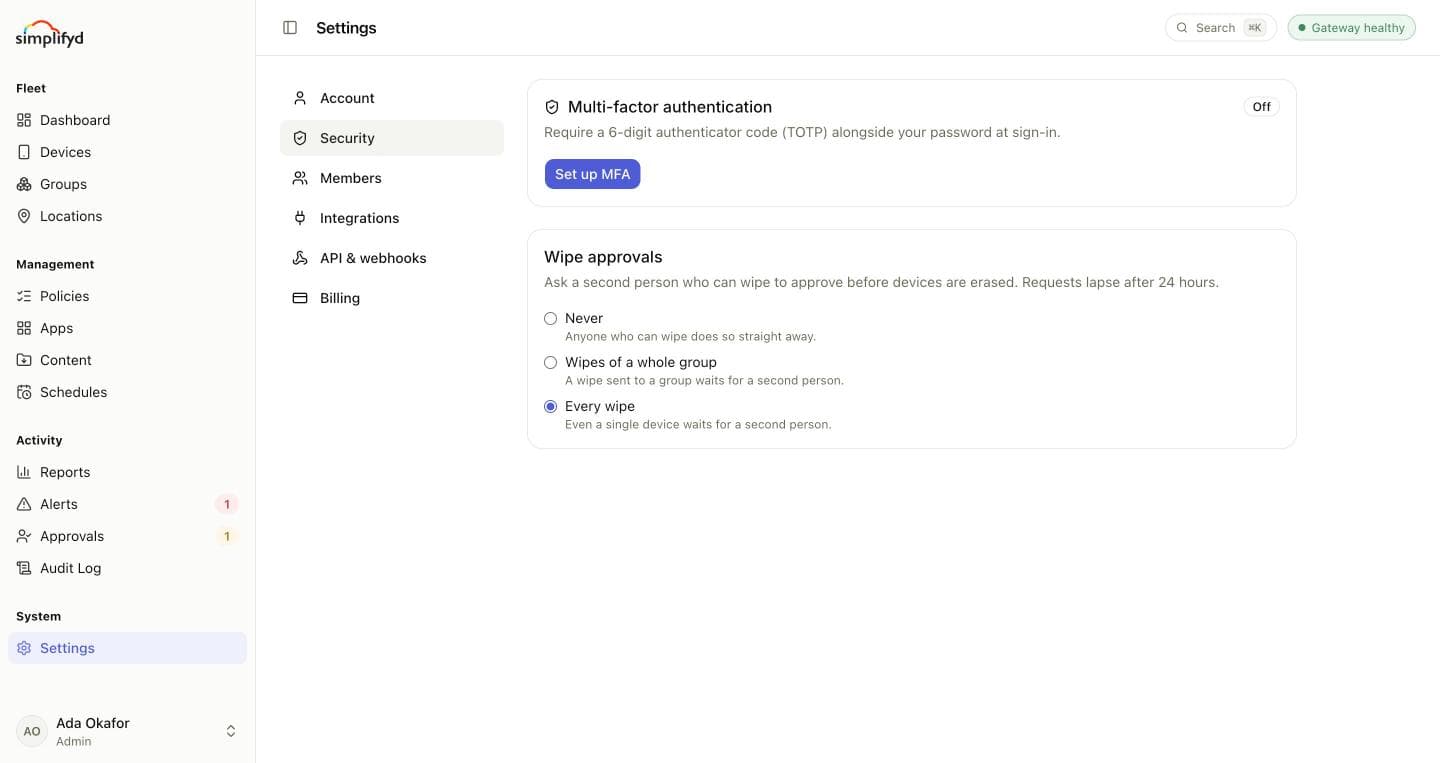
Go to Settings → Security and choose under Wipe approvals:
- Never: anyone who may wipe does so straight away.
- Wipes of a whole group: a wipe sent to a group waits for a second person. Single devices don't.
- Every wipe: even a single device waits.
Asking for a wipe
Wipe a device as usual from its page. Instead of being sent, the wipe goes to Approvals, and the console tells you it needs approval. Say why in the reason; the approver sees it.
Approving or rejecting
Approvals lists the wipes waiting, with who asked, which device or group, their reason, and when the request lapses. The number beside Approvals in the menu counts them.
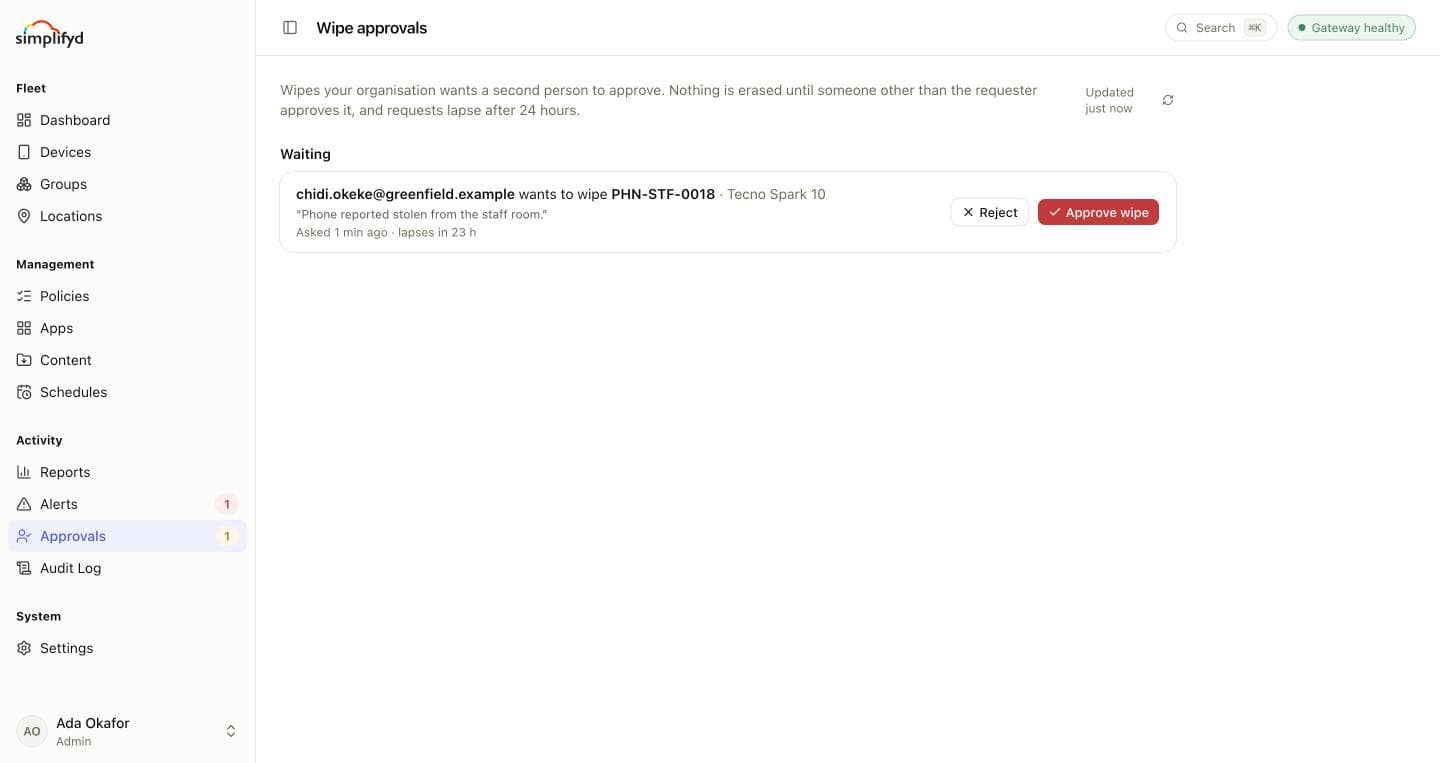
- Approve wipe queues the wipe at once. The devices erase everything when they next check in.
- Reject cancels it. Add a note if you like; the person who asked sees it.
You can't approve your own request; it shows Waiting for someone else. Approving needs the Wipe devices permission, the same as wiping.
Below the waiting requests, Last 30 days lists what was approved, rejected or lapsed, by whom, with their notes. Every request and decision is also in the audit log.