

Remote view
See a device's screen, and tap and type on it, with the person's permission.
Remote view shows you a company-owned Android device's screen live, so you can help the person holding it. Nothing is shared until that person agrees, and they can stop sharing at any time.
What a device needs
| Device | What it needs |
|---|---|
| Agent | Agent version 1.8.0 or later. |
| Google-managed | The Remote support app, connected. The policy setting Allow remote support installs it; someone then opens it once on the device to connect it. |
| Personal phone | Not possible. Personal devices can't be viewed. |
| Windows | Not available. |
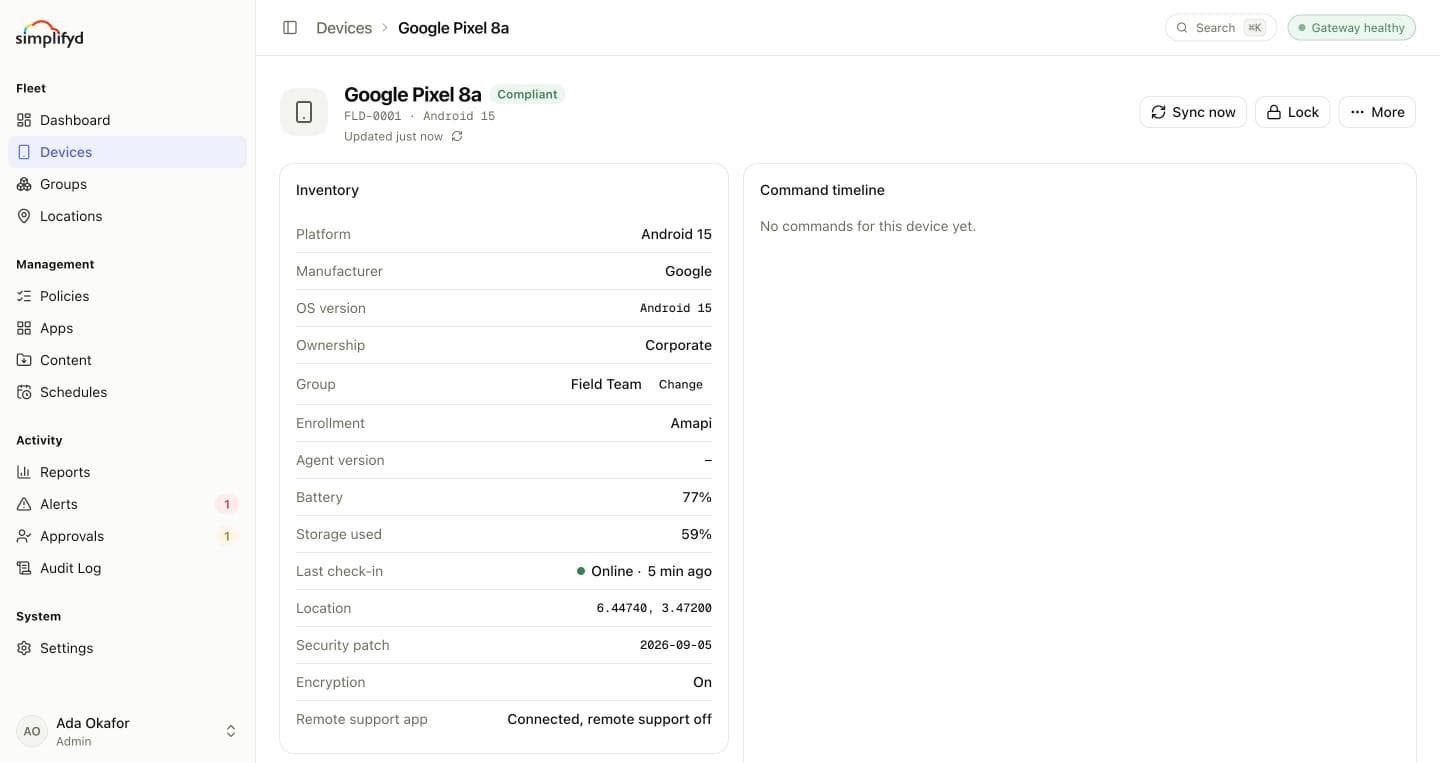
On a Google-managed device, the device page's Remote support app row shows where things stand: Not connected, Connected, view only, Connected, tap control on, or Connected, remote support off when the app is there only to report location and the policy doesn't allow remote support.
Starting a session
- Open the device and select Remote view.
- The device is asked to share its screen.
- On an agent device, the person sees Android's screen-sharing prompt.
- On a Google-managed device, they get a notification from the Remote support app, tap it, then see the same prompt.
- When they accept, their screen appears in the console.
The device hears about the request at its next check-in, so it can take up to 15 minutes to arrive. You can leave the window open while you wait; the request lasts 20 minutes.
Tapping and typing
If the person has turned on Remote support in their device's Settings → Accessibility, you can click to tap, drag to swipe, and use the Back, Home and Recent apps buttons. Otherwise the session is view only, and the console says so. The accessibility service only carries your taps during a session the person has accepted; it doesn't read the screen.
Select End session when you're done. The person can end it at any time from their notification.
Who can use it
Remote view needs the Remote view and control permission. Admins and Helpdesk have it. Every session is recorded in the audit log.
See also: Help someone remotely.