

Billing
Seats, payments and renewals.
Settings → Billing shows your plan and how many devices it covers. Each enrolled device uses a seat.
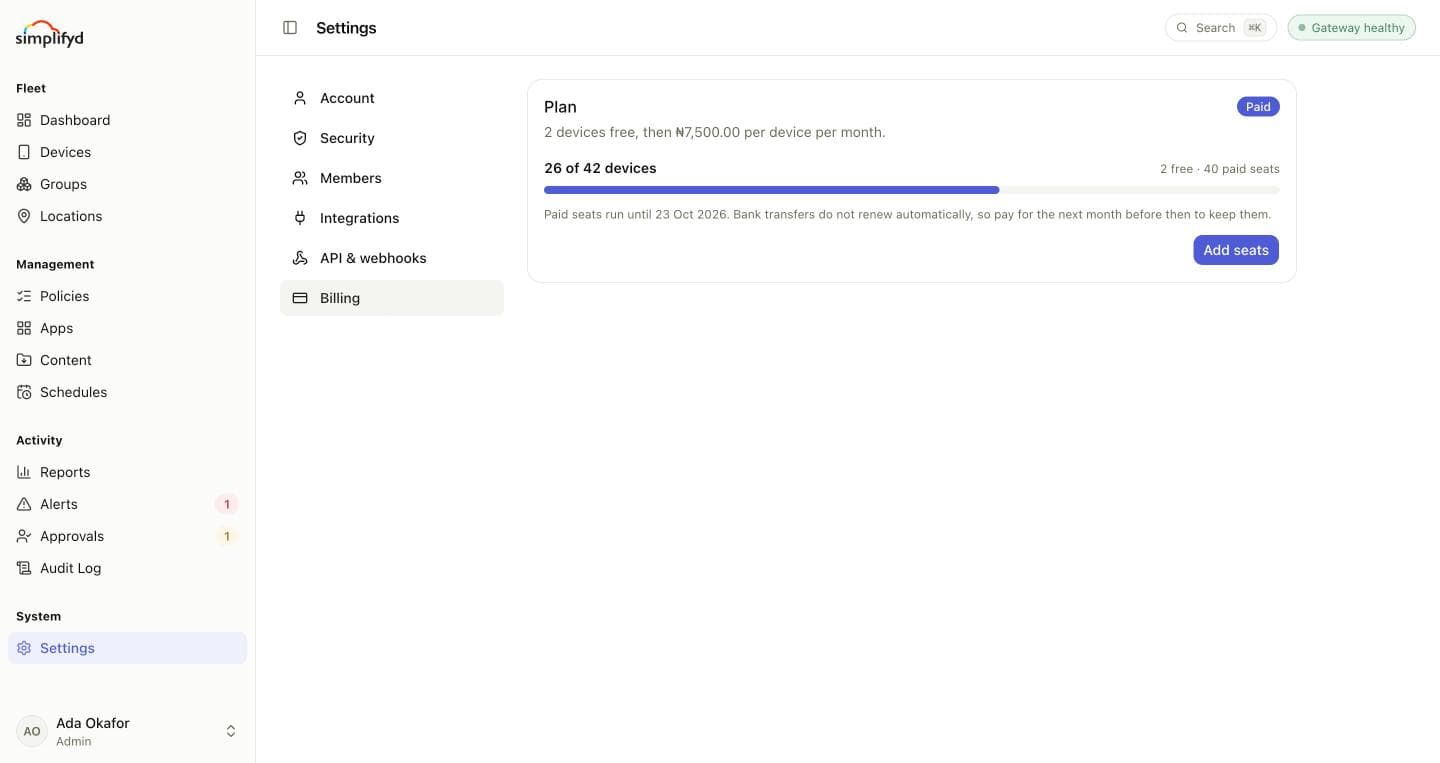
Your plan
Every organisation gets its first devices free; the plan card says how many, and the price per device per month after that. The bar shows devices enrolled against seats available, which are the free ones, any paid seats, and any complimentary seats Simplifyd has given you.
When every seat is in use, new devices can't enrol. Devices already enrolled keep working.
Adding seats
- Select Add seats and enter how many.
- Choose how to pay:
- Card: renews automatically each month.
- Bank transfer: pay each month yourself. You get an account number and name to transfer to, valid until the time shown.
- Select Continue to payment and complete it.
Seats added partway through a month are charged pro rata until your renewal date, then renew with the rest. A first purchase is billed monthly from that day.
Seats appear as soon as the payment clears. A bank transfer can take a few minutes to arrive; until then it shows Awaiting transfer, and View transfer details shows where to send it.
Renewal
Next renewal shows when your seats renew and how many will. You can change the number for the next
month, but not below what the devices already enrolled need. If you have no more devices than the free
allowance, set it to 0 to return to the free tier.
Card payments renew on their own. If a renewal fails, the page says why; update the card or pay another way. Bank transfers don't renew automatically, so pay for the next month before the renewal date to keep your seats.
Payment history lists every payment and its status.
Billing needs the Manage billing permission. Only admins have it by default.