

Groups
Sets of devices that share a policy, assigned by hand or sorted by rules.
Every device is in exactly one group, and its group decides its policy. Groups lists them all, with each group's policy and how many devices it holds.
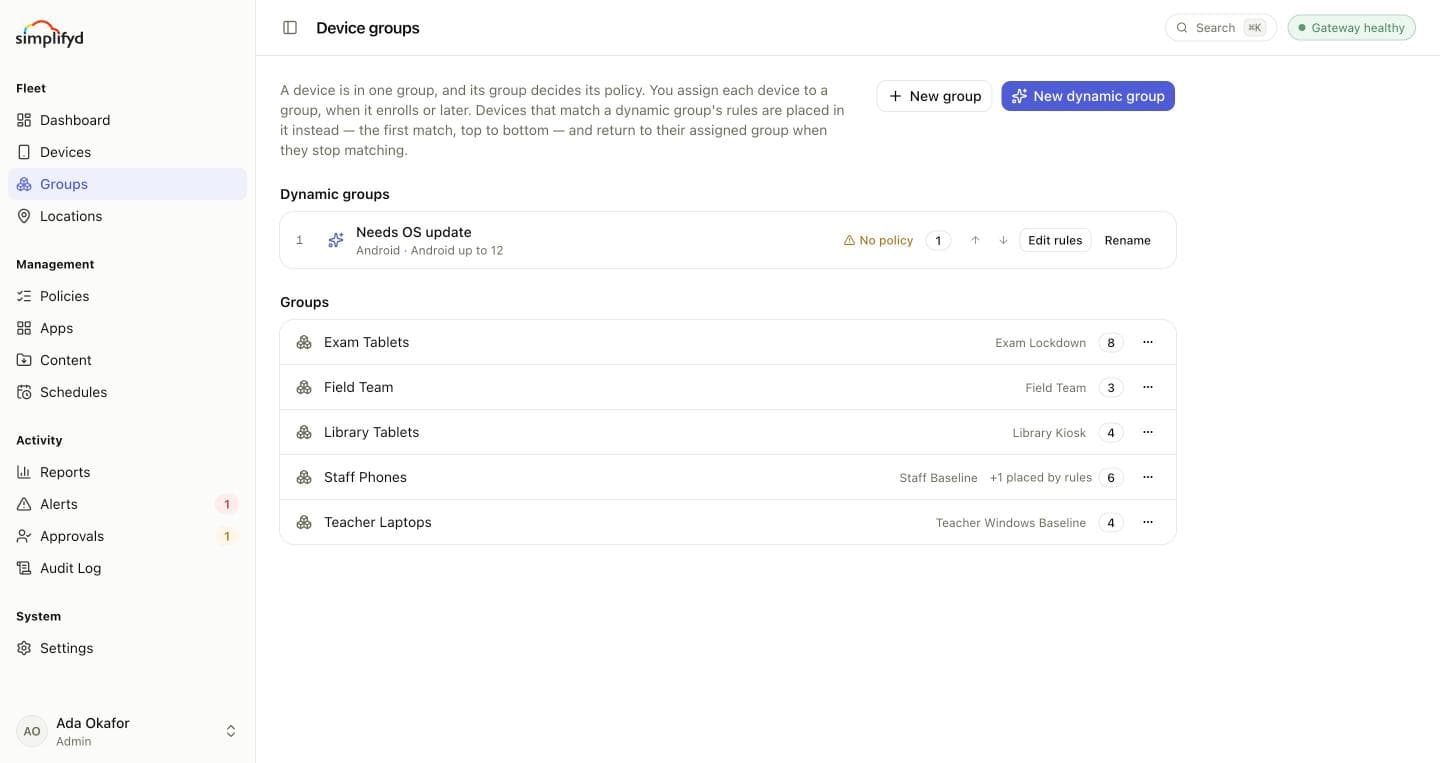
Regular groups
You assign a device to a regular group when it enrols (the enrolment token names the group) or later, with Change on its page or Move to group… in the device list.
- New group creates an empty group. Give it a policy under Policies.
- Rename… renames it everywhere it is used: its devices, policy and content assignments, enrolment tokens, schedules, and the access of members limited to it.
- Move its devices… reassigns every device in the group to another one. They pick up the new group's policy at their next check-in.
- Delete removes an empty group. Move its devices out first.
A group without a policy shows No policy. Agent and Windows devices in it are not managed by any policy until you give it one. A device managed through managed Google Play keeps the policy it was enrolled with.
Dynamic groups
A dynamic group fills itself. You set conditions, and any device that meets all of them is placed in the group and gets its policy, wherever it was assigned. When it stops meeting them, it returns to the group it was assigned to.
Use them to treat devices differently without moving them by hand. For example:
- Needs OS update: Android up to 12, with a policy that blocks risky apps.
- Lab Samsungs: manufacturer contains "Samsung" and assigned to
Science Lab. - Quarantine: compliance is Non-compliant, with a stricter policy.
Conditions
A device must meet every condition you set:
- Platform: Android or Windows.
- Ownership: company-owned or personal.
- Management: managed by Google (through managed Google Play).
- Compliance: compliant, in its grace period, or non-compliant.
- Android from / up to: a range of Android versions.
- Windows build from / up to: a range of Windows builds.
- Manufacturer contains and Model contains.
- Serial starts with: one or more serial number prefixes.
- Only devices assigned to: limits the group to devices assigned to the groups you name.
As you add conditions, the editor shows which devices match. Save and move devices places them at once.
Order matters
Dynamic groups are tried from top to bottom, and a device goes into the first one it matches. Use the arrows beside each group to change the order. Saving a new order moves any devices it affects.
A compliance condition needs care: if the dynamic group's own policy makes a device compliant, the device moves back to its assigned group, falls out of line again, and moves back and forth.
Who can manage groups
Creating, renaming, moving and deleting groups needs the Manage devices permission. Admins have it.